

If you play on a PS5 Pro, a good OLED monitor is one of the biggest visual upgrades you can make. You get true blacks, instant pixel response and much better HDR than most LCD screens.
But many monitors that look perfect on paper work badly with a console. Some are missing the right HDMI port, and some are wasted money because the PS5 Pro can’t use their top speed.
This guide covers what actually matters, then our picks.
Quick Answer: Our Top Picks
| Best for | Monitor | Size | Panel |
|---|---|---|---|
| Best overall | ASUS ROG Swift OLED PG27UCDM | 26.5″ | QD-OLED, 4K |
| Best value 4K | ASUS ROG Strix OLED XG27UCDMG | 27″ | QD-OLED, 4K |
| Best premium big screen | Alienware AW3225QF | 32″ curved | QD-OLED, 4K |
| Best for bright rooms | Samsung Odyssey OLED G80SD | 32″ | QD-OLED, 4K, matte |
| Best 32″ alternative | LG UltraGear 32GS95UE | 32″ | WOLED, 4K |
| Best 1440p option | Samsung Odyssey OLED G60SD | 27″ | QD-OLED, 1440p |
RTINGS names the ASUS ROG Swift OLED PG27UCDM the best monitor it has tested for the PS5 and PS5 Pro. Its other category picks include the Dell Alienware AW3225QF as best premium and the Samsung Odyssey OLED G60SD as best Samsung option. rtingsmonitorcritic
What the PS5 Pro Actually Needs From a Monitor
Before you buy, know what the console can and can’t do. This section saves most people from an expensive mistake.
1. HDMI 2.1 is the one non-negotiable spec
The PS5 Pro has no DisplayPort output, so everything goes through HDMI. An HDMI 2.1 port carries 4K at 120Hz with HDR and VRR, while an HDMI 2.0 port limits you to 4K at 60Hz or to 1440p and 1080p at 120Hz. designbeep
Check the spec sheet for HDMI 2.1 at 48Gbps. A monitor listing only “HDMI” or “HDMI 2.0” is not enough.
2. 240Hz and 360Hz panels won’t speed up your PS5 Pro
The PS5 tops out at 120Hz, so a 240Hz panel adds nothing for the console alone. The fast refresh rate only helps if you also plug in a gaming PC. If this is a console-only setup, don’t pay extra for extreme refresh rates. designbeep
3. VRR smooths out frame drops
The PS5 supports variable refresh rate over HDMI 2.1 in a range of 48 to 120Hz. VRR matters on the Pro because ray-traced modes often fluctuate in frame rate, and VRR hides the tearing and judder when frames dip. designbeep
4. The PS5 Pro outputs HDR10
The PS5 Pro outputs up to 4K120 over HDMI 2.1 with VRR and HDR10. It doesn’t use Dolby Vision, so don’t pay extra for it. specpicks
5. Most games don’t run at 4K 120Hz anyway
Only a handful of games run at 4K/120. Most target 4K/60 or 1440p/120. That makes a 1440p OLED a legitimate budget choice for console play, since the PS5 can output 1440p. specpicks
Why OLED for PS5 Pro?
What you gain
- True black. Each pixel switches off completely, so dark scenes in games like horror and open-world night sections keep their depth.
- Near-instant response. The PG27UCDM has a rated 0.03ms response time. Fast motion stays clean. asus
- Strong HDR contrast. Highlights pop against dark areas without the blooming you see on LCDs.
What you give up
- Burn-in risk. Static HUDs and logos can leave permanent marks over long sessions. DisplayNinja lists burn-in risk as a con of the PG27UCDM, though ASUS covers it with a three-year warranty and offers features like pixel cleaning, screen move and logo brightness adjustment. Check the warranty before buying any OLED. displayninja
- Brightness limits. PC Gamer measured the PG27UCDM at about 250 nits full screen and 1,000 nits in a 3% window. That means a bright full-screen scene dims on OLED, so very bright rooms are a weakness. pcgamer
- Price. OLED costs more than comparable LCD options, including Mini-LED.
Bottom line: if you play in a dim or moderately lit room and value image quality, OLED is the best choice. If your room is very bright or you leave static content on screen for hours, think carefully.
4K or 1440p? 27″ or 32″?
| Your situation | Best choice |
|---|---|
| Desk setup, sitting close | 27″ 4K (sharpest at short distance) |
| Bigger immersion, sitting further back | 32″ 4K |
| Tight budget, mostly 120Hz games | 27″ 1440p OLED |
| Also using a gaming PC | 4K 240Hz with HDMI 2.1 and DP |
A 27″ 4K panel packs very high pixel density, so text and details look crisp at desk distance. A 32″ screen feels more cinematic but looks slightly softer up close.
The Best OLED Monitors for PS5 Pro
1. ASUS ROG Swift OLED PG27UCDM: Best Overall
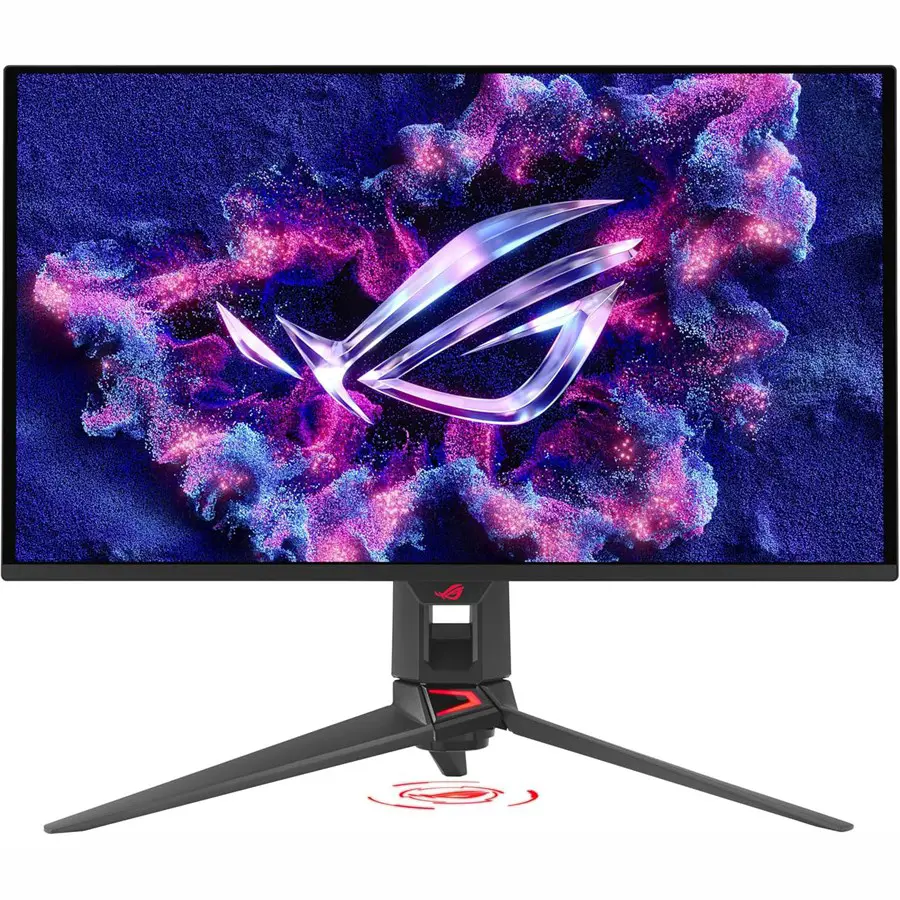
Why we like it: it’s a compact 4K OLED with full HDMI 2.1 bandwidth, a burn-in warranty and enough extras to serve a PC too.
- Panel: 26.5″ 4K (3840 x 2160) QD-OLED, 240Hz
- Ports: Two HDMI 2.1 ports at 48Gbps, DisplayPort 2.1, and USB-C with 90W power delivery. pcmonitors
- Console support: RTINGS confirms it supports any signal up to 4K 120Hz on the PS5, PS5 Pro and Xbox Series X|S, with VRR on any console. rtings
- Warranty: Three years including panel burn-in. asus
- Price: It launched at $1,099. Prices vary, so check the current offer. inkl
Best for: console players who want the best image at desk distance.
Watch out for: it’s expensive, and the 240Hz ceiling won’t be used by the console alone.
2. ASUS ROG Strix OLED XG27UCDMG: Best Value 4K
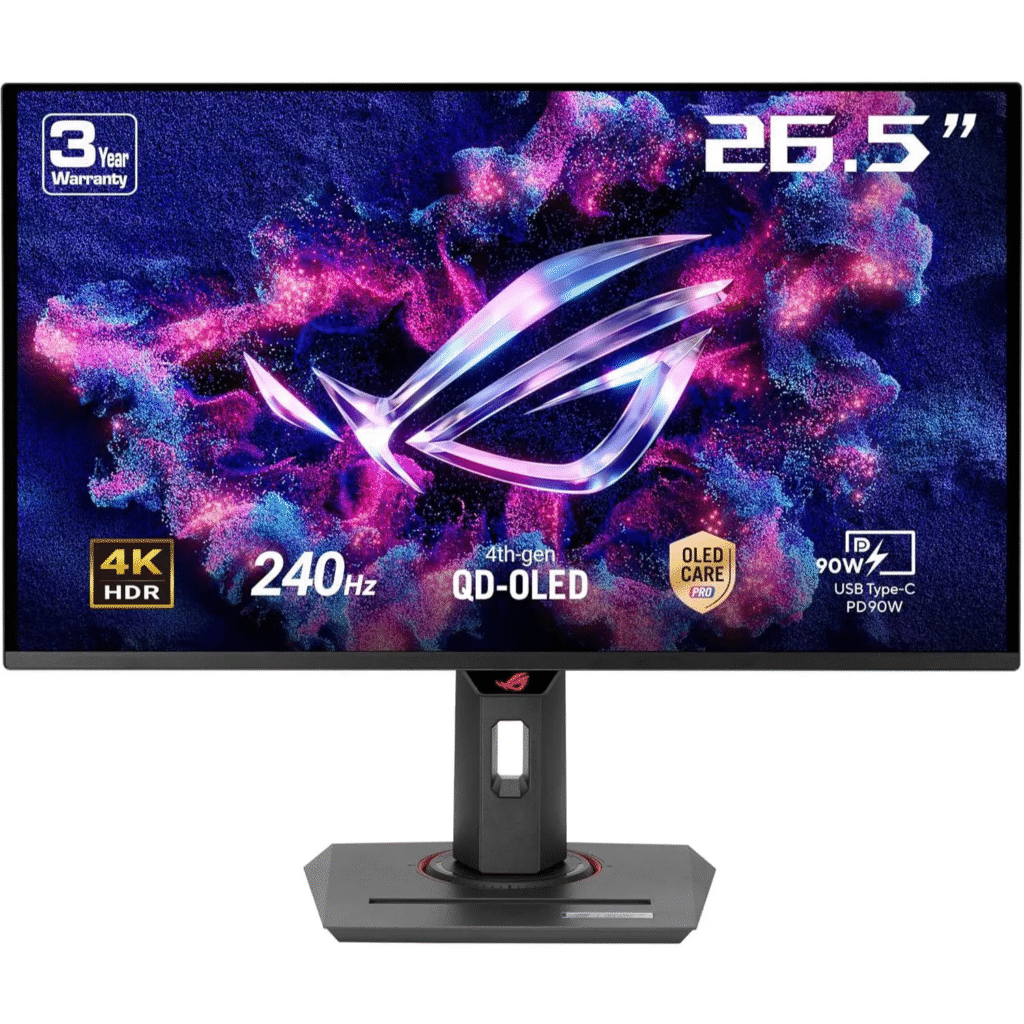
Why we like it: it uses the same 4K 240Hz QD-OLED approach as the PG27UCDM for less money, by dropping the premium DisplayPort.
- RTINGS lists it with two HDMI 2.1 ports, one DisplayPort 1.4 and one USB-C. rtings
- For a console-only buyer the missing DisplayPort 2.1 doesn’t matter, since the PS5 Pro only uses HDMI.
Best for: players who want the 27″ 4K OLED experience without paying for PC extras.
Watch out for: confirm the current warranty terms on your listing, since they can differ by model and region.
[Check Price on Amazon]
3. Alienware AW3225QF: Best Premium Big Screen
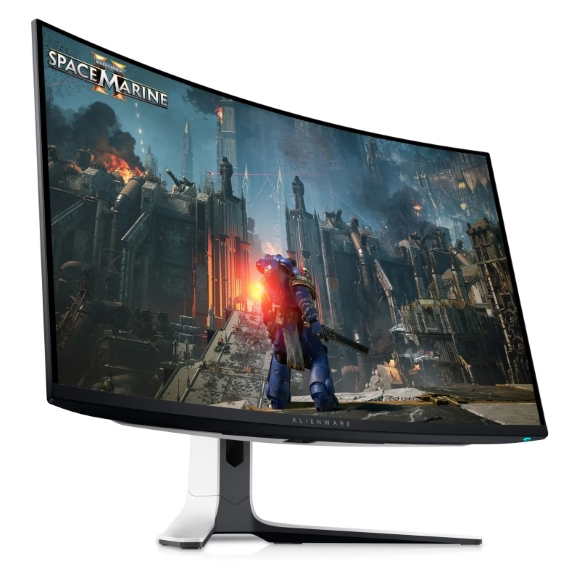
Why we like it: it’s a 32″ curved QD-OLED that reviewers keep placing at the top.
- TechRadar calls it the best, top-tier premium PS5 monitor money can buy right now. techradar
- It’s a 32″ curved 4K panel, so the experience is more immersive than a 27″ screen.
Best for: players who want a big, cinematic screen and have the desk space.
Watch out for: the curve may not suit everyone, and it sits at the top of the price range.
4. Samsung Odyssey OLED G80SD: Best for Bright Rooms
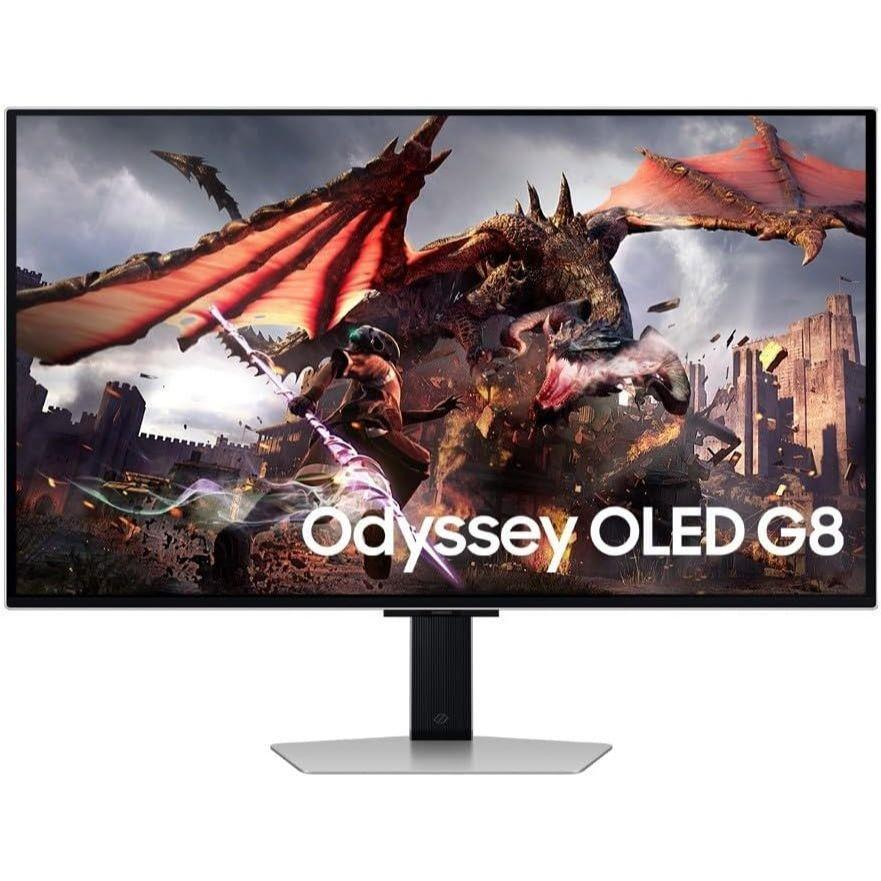
Why we like it: a 32″ 4K QD-OLED with a matte coating that fights glare.
- One review described it as where QD-OLED becomes accessible, at a lower price than the ASUS model, with a matte coating. spawningpoint
- The matte finish helps if you game with windows or lights behind you, though it can slightly reduce perceived contrast versus glossy screens.
Best for: gaming in a brighter room.
Watch out for: prices have moved since that review was published, so compare before buying.
[Check Price on Amazon]
5. LG UltraGear 32GS95UE: Best 32″ WOLED
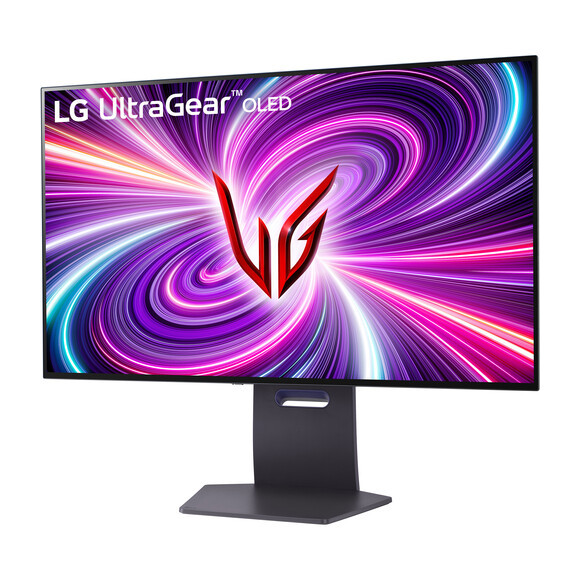
Why we like it: a large 32″ 4K OLED with full ergonomic stand adjustment from LG’s WOLED technology.
- A comparison article credits it with the largest OLED screen on its list, 98.5% DCI-P3 coverage and a full ergonomic stand. spawningpoint
- WOLED and QD-OLED have different color and text characteristics, and QD-OLED often has the edge in color volume. Check recent reviews for how each handles text clarity.
Best for: players who prefer a large 32″ screen and a flexible stand.
Watch out for: confirm HDMI 2.1 and warranty details on the current model before buying.
6. Samsung Odyssey OLED G60SD: Best 1440p Option
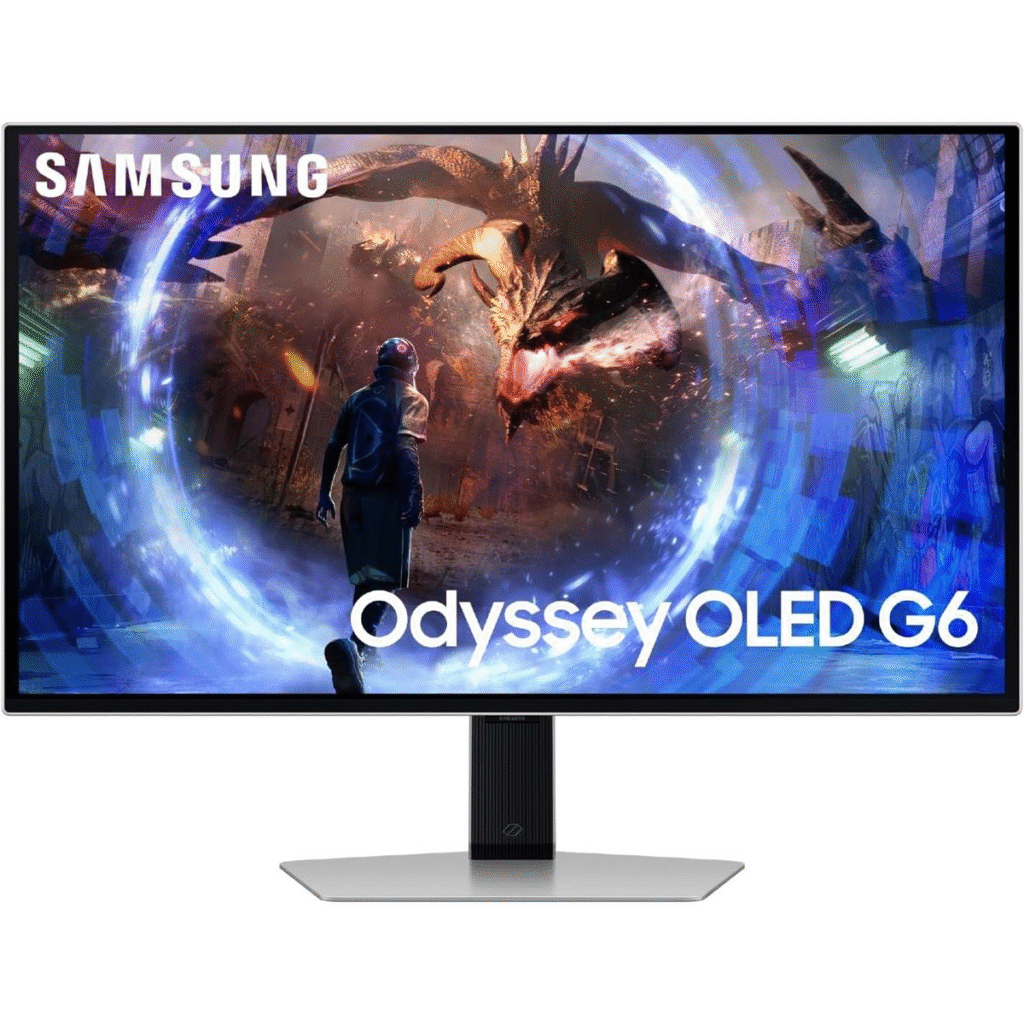
Why we like it: it brings OLED contrast to a 27″ 1440p screen. For PS5 Pro owners, that matches the many games that target 1440p/120.
- RTINGS names the G60SD as its best Samsung option for PS5 and PS5 Pro. monitorcritic
- 1440p is less sharp than 4K, but at 27″ and normal desk distance it’s still crisp, and it costs less.
Best for: budget-minded players who want OLED without the 4K price.
Watch out for: verify the HDMI port version on the exact listing, since 1440p 120Hz with VRR is the point of this pick.
Side-by-Side Comparison
| Monitor | Resolution | Size | HDMI 2.1 | Best trait |
|---|---|---|---|---|
| ASUS PG27UCDM | 4K | 26.5″ | Yes (2 ports) | Best all-round |
| ASUS XG27UCDMG | 4K | 27″ | Yes (2 ports) | Value |
| Alienware AW3225QF | 4K | 32″ curved | Verify on listing | Premium immersion |
| Samsung G80SD | 4K | 32″ | Verify on listing | Matte, glare control |
| LG 32GS95UE | 4K | 32″ | Verify on listing | Large WOLED screen |
| Samsung G60SD | 1440p | 27″ | Verify on listing | Budget OLED |
Tip: always confirm the HDMI 2.1 mention on the product page before purchase.
How to Set Up Your PS5 Pro With an OLED Monitor
- Use the right cable. Use an Ultra High Speed HDMI cable rated for 48Gbps.
- Use the HDMI 2.1 port. On monitors with multiple inputs, plug into the one listed as HDMI 2.1.
- Turn on the monitor’s HDMI 2.1 or high-bandwidth mode if the menu has the option.
- On the PS5 Pro, go to Settings, then Screen and Video, then Video Output. Turn on VRR, enable 120Hz output, and run the HDR adjustment.
- Pick a game mode with the frame rate you prefer. The Pro’s performance modes pair well with VRR.
How to Protect an OLED From Burn-In
- Keep a warranty that explicitly covers burn-in, like the one ASUS includes on the PG27UCDM.
- Let the monitor run its pixel-refresh routine when it asks.
- Lower brightness a bit for long sessions with static HUDs.
- Turn the monitor off, rather than leaving a paused game on screen.
- Vary what you play instead of leaving the same static interface up for hours every day.
Buying Checklist
- HDMI 2.1 at 48Gbps, not just “HDMI”
- 4K 120Hz or 1440p 120Hz support
- HDMI VRR (48 to 120Hz range)
- HDR10 support
- A burn-in warranty, ideally three years
- Panel size that fits your desk and viewing distance
- Matte or glossy coating, based on room lighting
FAQ
Do I need a 4K monitor for PS5 Pro?
Not strictly. 4K gives the sharpest image, but many games target 1440p at 120Hz, so a good 1440p OLED can also work well.
Does the PS5 Pro need a 240Hz monitor?
No. The console tops out at 120Hz. Extra refresh rate only matters if you also use the monitor with a PC.
Do I need DisplayPort?
No. The PS5 Pro only outputs through HDMI.
Does the PS5 Pro support Dolby Vision?
No. It outputs HDR10, so don’t pay extra for Dolby Vision.
Is OLED burn-in a real risk on a console?
It’s a real risk with long sessions of static content, but it can be managed with settings, habits and a burn-in warranty.
QD-OLED or WOLED?
QD-OLED generally has the edge in color volume, while WOLED varies by model. Compare recent tests for the specific monitor.
Final Verdict
- Want the best all-round PS5 Pro OLED? Get the ASUS PG27UCDM.
- Want 4K OLED for less? Look at the ASUS XG27UCDMG.
- Want a big, immersive screen? The Alienware AW3225QF is the premium pick.
- Gaming in a bright room? Try the Samsung G80SD.
- On a tighter budget? A 1440p OLED like the Samsung G60SD makes sense, since many PS5 Pro games target 1440p/120.
Prices, stock and warranty terms change often, so check the Amazon listing before you buy. Last updated November 9, 2026.